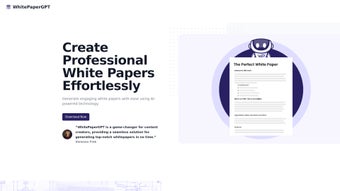

Download WhitePaperGPT – AI‑Powered White Paper Creator, Fast & Secure
Overview
WhitePaperGPT is a cutting‑edge, AI‑driven web application built to streamline the entire white‑paper creation workflow. By harnessing the power of the latest GPT models, the platform generates high‑quality, research‑grade content in a fraction of the time it would take a human writer. Whether you’re a startup founder, a marketing professional, or a technical writer, WhitePaperGPT offers a secure, cloud‑based environment where you can draft, refine, and publish white papers without the usual bottlenecks.
The tool comes with an intuitive Chrome extension that lets you pull snippets from any web page, automatically categorizing them into project‑specific folders. Version control tracks every edit, ensuring a full audit trail for collaborative teams. Customization options let you modify headings, fonts, and layout templates to match brand guidelines, while built‑in export functions support PDF, DOCX, and HTML formats.
In short, WhitePaperGPT eliminates the tedious research and drafting phases, allowing you to focus on strategy, design, and distribution. Its subscription model includes a free tier for basic usage and a premium plan that unlocks advanced AI prompts, unlimited snippet storage, and priority support. By delivering a seamless blend of AI creativity and project management tools, WhitePaperGPT positions itself as the go‑to solution for anyone looking to produce professional white papers quickly, securely, and at scale.
Key Features & Benefits
- GPT‑Powered Content Generation: Generate coherent, research‑level paragraphs with a single click, tailored to your industry and target audience.
- Chrome Extension for Snippet Capture: Collect quotes, statistics, and citations from any website; the extension automatically saves them to your project folder.
- Project‑Based Organization: Create separate folders for each white‑paper project, tag snippets, and reorder sections with drag‑and‑drop simplicity.
- Version Control & Collaboration: Every edit is logged, allowing teams to revert to previous drafts, compare changes, and comment in‑line.
- Customizable Templates: Choose from a library of professionally designed layouts or build your own, adjusting fonts, colors, and heading hierarchies to align with brand guidelines.
- Multi‑Format Export: Export finished papers as PDF, Microsoft Word, or clean HTML for web publishing.
- Secure Cloud Storage: All data is encrypted at rest and in transit, complying with GDPR and CCPA standards.
- Free Tier & Affordable Premium: Start for free with limited AI generations; upgrade to $49 / year for unlimited usage, premium prompts, and priority support.
These features translate into tangible benefits: faster time‑to‑market, reduced reliance on external copywriters, consistent quality across documents, and a collaborative environment that keeps every stakeholder on the same page. By automating the heavy lifting, WhitePaperGPT frees up valuable time for strategic planning, visual design, and distribution—key activities that drive ROI on any white‑paper campaign.
Installation, Usage & Compatibility
Getting started with WhitePaperGPT is straightforward and does not require any complex installation. Follow these steps for a smooth onboarding experience:
- Create an Account: Visit whitepapergpt.com, click “Sign Up,” and choose either the free or premium plan. Email verification completes the registration.
- Install the Chrome Extension: After logging in, navigate to the “Extensions” tab and click “Add to Chrome.” The extension appears as an icon next to your address bar.
- Set Up Your First Project: From the dashboard, select “New Project,” give it a descriptive name, and choose a template. The AI engine will prompt you for the paper’s purpose, target audience, and key themes.
- Capture Snippets: While researching, click the extension icon to highlight text, then press “Save to WhitePaperGPT.” The snippet is automatically tagged and stored in the active project folder.
- Generate Content: Use the “AI Write” button to let GPT craft sections based on your outlines and saved snippets. Review, edit, and rearrange as needed.
- Export & Share: When the paper is complete, select “Export” and choose PDF, DOCX, or HTML. You can also share a read‑only link with collaborators.
WhitePaperGPT is a web‑based SaaS platform, making it compatible with any modern operating system that supports a web browser—Windows 10/11, macOS, Linux, ChromeOS, as well as mobile browsers on Android and iOS. The Chrome extension works on desktop Chrome and Chromium‑based browsers (Edge, Brave). Because all processing occurs in the cloud, there is no heavy client‑side software to install, ensuring fast performance even on lower‑end machines.
Regular updates are pushed automatically, guaranteeing that you always have the latest AI models, security patches, and feature enhancements without manual intervention. If you encounter any issues, the built‑in help center and live chat support are available 24/7 for both free and premium users.
Pros, Cons, FAQ & Final Verdict
Pros
- Rapid AI‑generated content that meets professional standards.
- Seamless snippet collection via Chrome extension.
- Robust version control for collaborative teams.
- Highly customizable templates and export options.
- Secure, GDPR‑compliant cloud storage.
- Free tier available for small projects.
Cons
- Advanced customization requires a premium subscription.
- Reliance on internet connectivity; offline work is limited.
- Learning curve for users unfamiliar with AI prompting.
Frequently Asked Questions
Is WhitePaperGPT truly free to use?
Yes, there is a free tier that allows up to five AI‑generated sections per month and basic snippet storage. For unlimited generation and premium templates, you can upgrade to the paid plan.
How secure is my data on WhitePaperGPT?
All data is encrypted both at rest and in transit using AES‑256 encryption. The platform complies with GDPR and CCPA, and you can delete projects permanently at any time.
Can I collaborate with team members?
Absolutely. You can invite collaborators via email, assign them roles (editor, reviewer, viewer), and track every change through the built‑in version control system.
Which browsers are supported for the Chrome extension?
The extension works on Google Chrome, Microsoft Edge, Brave, and any Chromium‑based browser on Windows, macOS, and Linux.
What export formats are available?
You can export your finished white paper as PDF, Microsoft Word (DOCX), or clean HTML for web publishing.
Expert Review
Overall Rating: 4.6/5
WhitePaperGPT delivers a compelling mix of AI creativity and project‑management tools that dramatically cuts the time required to produce a polished white paper. Its free tier is generous enough for occasional use, while the premium plan adds depth for power users. The only drawback is the need for a stable internet connection, but for most modern teams this is a minor consideration. In short, if you’re looking to boost content output without sacrificing quality, WhitePaperGPT is a top‑tier choice.
Conclusion & Call to Action
WhitePaperGPT stands out as a reliable, secure, and feature‑rich solution for anyone tasked with creating professional white papers. Its AI engine, combined with a well‑designed Chrome extension and robust version control, turns a traditionally labor‑intensive process into a streamlined workflow. Whether you’re a solo entrepreneur drafting a single pitch deck or a large enterprise managing multiple research reports, the platform scales to meet your needs. Ready to accelerate your content production? Download WhitePaperGPT now, start with the free plan, and experience the future of white‑paper creation today.



.png)



